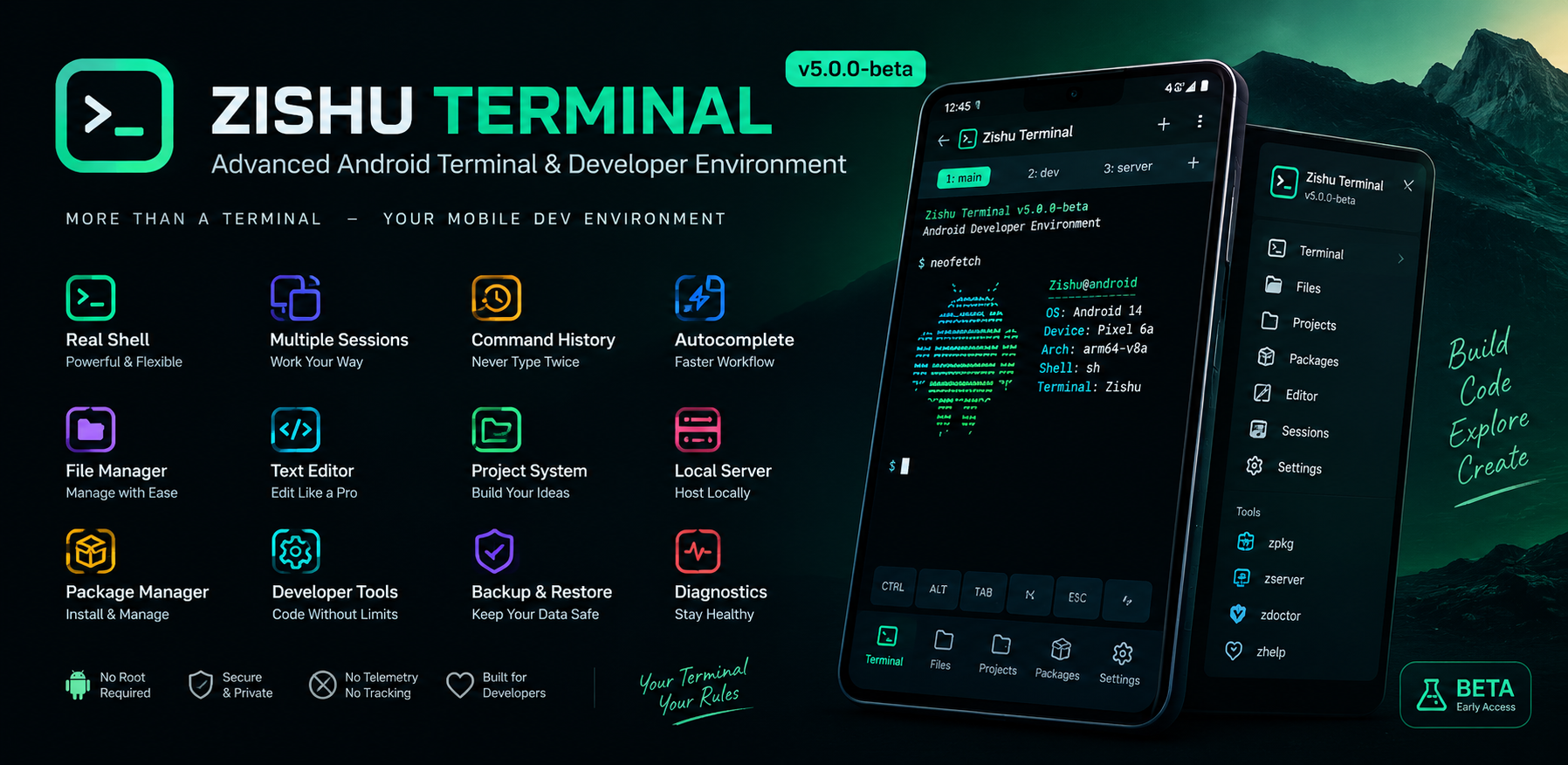
Download
Zishu Terminal (Beta) v5.5.0
https://github.com/zishutron/Stardust-store/releases/download/v5.0.1/Zishu.Terminal.Beta._v5.5.0-beta.1.550.apk
Zishu Terminal v5.5.0-beta.1 — Release Announcement
═══════════════════════════════════════════════════
An advanced Android terminal and lightweight developer
environment, now with two major new capabilities.
━━━━━━━━━━━━━━━━━━━━━━━━━━━━━━━━━━━━━━━━━━━━━━━━━
WHAT'S NEW IN v5.5.0-beta.1
━━━━━━━━━━━━━━━━━━━━━━━━━━━━━━━━━━━━━━━━━━━━━━━━━
This release adds two significant features and fixes
several important bugs discovered during beta testing.
► Built-in curl with real HTTPS
A complete HTTP/HTTPS client built directly into
Zishu Terminal, written in Java. No native binary,
no Termux, no root required.
Supported commands:
curl https://example.com
curl https://example.com > source.html
curl -o file.html https://example.com
curl -O https://example.com/file.txt
curl -I https://example.com
curl -L https://example.com
curl -s https://example.com
curl -v https://example.com
curl -X POST -d "key=value" https://example.com
curl -H "Authorization: Bearer xxx" https://example.com
Features:
• Real HTTPS with certificate verification
• HTTP redirects (via -L)
• Custom headers (-H)
• POST data (-d)
• HEAD requests (-I)
• Progress display
• Environment variable expansion
($HOME, ${HOME}, ~, $PREFIX, $TMPDIR)
• Shell redirection support (>, >>)
• Runs on background thread — no UI freeze
• Real exit codes — no fake success
► zprotect — File encryption with AES-256-GCM
A real encryption tool built into the terminal.
Encrypt any file — HTML, CSS, JS, JSON, TXT, images,
anything — with a password.
Supported commands:
zprotect encrypt secret.txt --password mypass
zprotect encrypt secret.txt --password mypass --delete
zprotect decrypt secret.txt.zenc --password mypass
zprotect info secret.txt.zenc
zprotect verify secret.txt.zenc --password mypass
zprotect list
zprotect delete secret.txt.zenc
zprotect help
Features:
• AES-256-GCM encryption
• PBKDF2 key derivation (100,000 iterations)
• Random salt + IV per file
• GCM authentication tag (tamper detection)
• Portable .zenc file format
• Works with any file type
• Zero-knowledge design — no password storage
━━━━━━━━━━━━━━━━━━━━━━━━━━━━━━━━━━━━━━━━━━━━━━━━━
BUG FIXES
━━━━━━━━━━━━━━━━━━━━━━━━━━━━━━━━━━━━━━━━━━━━━━━━━
► Fixed $HOME expansion in curl output paths
Before:
curl -o $HOME/file.html https://example.com
→ curl: (23) Failed to open output file
After:
curl -o $HOME/file.html https://example.com
→ File created in $HOME ✓
► Fixed zserver custom root and port
Before:
zserver start $HOME/mysite 8080
→ Server failed to start silently
After:
zserver start $HOME/mysite 8080
→ Server running on http://127.0.0.1:8080/ ✓
► Fixed shell prompt leaking into output
Before:
Repeated "CPH1803:/data/data/..." prompt strings
appearing in command output
After:
Clean command output — no prompt leaks ✓
► Fixed path consistency
Before:
$HOME = /data/user/0/...
pwd = /data/data/...
After:
Consistent path representations ✓
► Improved non-interactive shell mode
Removed the -i flag from the shell process. This
prevents the shell from printing prompts and
complaining about TTY, while remaining fully
functional for all commands.
━━━━━━━━━━━━━━━━━━━━━━━━━━━━━━━━━━━━━━━━━━━━━━━━━
WHAT'S INCLUDED
━━━━━━━━━━━━━━━━━━━━━━━━━━━━━━━━━━━━━━━━━━━━━━━━━
► Terminal
• Real /system/bin/sh shell — not simulated
• ANSI color support (16 + 256 colors)
• Multiple independent sessions
• Command history with up/down navigation
• Tab completion for commands and files
• Large output handling
• Background execution
► Userspace
• $HOME, $PREFIX, $TMPDIR, $PATH
• Structured directory layout
• Environment variable management (zenv)
• Path resolution (zpath, zwhich)
► Built-in commands
• curl — HTTP/HTTPS client
• zprotect — file encryption
• zhelp, zinfo, zclear, zversion
• ztheme, zhistory, zsession, zstorage
• zpath, zenv, zwhich, zdoctor
• ztools, zjobs, zfind, zbuild
• zprofile, zpkg, zproject
• zedit, zrun, zserver
• zbackup, zrestore, zdiagnostics
► File manager
• Browse, create, rename, delete
• Copy, move, paste
• File details
• Open in editor
► Text editor
• Open, edit, save
• Save As
• Find
• Line numbers
• Supports .txt .sh .json .xml .html
.css .js .java .md
► Local web server (zserver)
• Serve any directory over HTTP
• Binds to 127.0.0.1 only by default
• Configurable root and port
• Start, stop, restart, status
• Custom root and port support
━━━━━━━━━━━━━━━━━━━━━━━━━━━━━━━━━━━━━━━━━━━━━━━━━
WHAT'S NOT INCLUDED (HONEST LIMITATIONS)
━━━━━━━━━━━━━━━━━━━━━━━━━━━━━━━━━━━━━━━━━━━━━━━━━
Zishu Terminal is an early-access beta. The
following are NOT included — and we're honest
about it, not hiding it:
► No bundled developer toolchains
• Python interpreter
• Git binary
• OpenSSH client
• Node.js / npm
• C/C++ compilers (clang, gcc)
• Java compiler
These are large native binaries that cannot be
reliably packaged into a small Android APK.
Future versions may provide these through the
package system.
► No remote package downloads
Local .zpkg installation works. Remote
repository support is planned but not enabled
in this build.
► No root access
Never offered. Never will be. Zishu Terminal
respects Android's security model.
► No native binary execution
Android 10+ enforces W^X (write-XOR-execute).
App-private directories cannot execute native
binaries. This is a platform restriction.
━━━━━━━━━━━━━━━━━━━━━━━━━━━━━━━━━━━━━━━━━━━━━━━━━
SECURITY AND PRIVACY
━━━━━━━━━━━━━━━━━━━━━━━━━━━━━━━━━━━━━━━━━━━━━━━━━
► What Zishu Terminal does NOT do:
• No root request
• No sandbox bypass
• No system partition modification
• No silent APK installation
• No telemetry
• No analytics
• No advertising
• No account requirement
• No cloud sync
• No hidden network calls
► What it does:
• Local HTTP server binds only to 127.0.0.1
• HTTPS certificate verification is always on
• Encrypted files use modern cryptography
• Core terminal works fully offline
━━━━━━━━━━━━━━━━━━━━━━━━━━━━━━━━━━━━━━━━━━━━━━━━━
TECHNICAL DETAILS
━━━━━━━━━━━━━━━━━━━━━━━━━━━━━━━━━━━━━━━━━━━━━━━━━
Package name: com.zishu.terminal
Version: 5.5.0-beta.1
Version code: 550
Minimum SDK: 21 (Android 5.0)
Target SDK: 29 (Android 10)
Language: Java
Framework: Classic Android APIs (no AndroidX)
APK size: ~1 MB
Dependencies: None
━━━━━━━━━━━━━━━━━━━━━━━━━━━━━━━━━━━━━━━━━━━━━━━━━
DOWNLOAD
━━━━━━━━━━━━━━━━━━━━━━━━━━━━━━━━━━━━━━━━━━━━━━━━━
Zishu Terminal v5.5.0-beta.1 (APK)
Download link:
https://github.com/zishutron/Stardust-store/releases/download/v5.0.1/Zishu.Terminal.Beta._v5.5.0-beta.1.550.apk
System Requirements:
• Android 5.0 (API 21) or newer
• ~5 MB free storage
• No root required
• Works offline
━━━━━━━━━━━━━━━━━━━━━━━━━━━━━━━━━━━━━━━━━━━━━━━━━
TESTING CHECKLIST
━━━━━━━━━━━━━━━━━━━━━━━━━━━━━━━━━━━━━━━━━━━━━━━━━
Try these commands to verify the new features:
► Test curl:
curl --version
curl https://example.com
curl -L -o test.html https://example.com
cat test.html
► Test $HOME expansion:
curl -L -o $HOME/test2.html https://example.com
ls -l $HOME/test2.html
► Test zprotect:
echo "secret message" > secret.txt
zprotect encrypt secret.txt --password mypass
cat secret.txt.zenc
zprotect decrypt secret.txt.zenc --password mypass
cat secret.txt
► Test zserver:
mkdir -p $HOME/site
echo "<h1>Hello</h1>" > $HOME/site/index.html
zserver start $HOME/site 8080
zserver status
curl http://127.0.0.1:8080/
zserver stop
► Test diagnostics:
zhelp
zinfo
zdoctor
━━━━━━━━━━━━━━━━━━━━━━━━━━━━━━━━━━━━━━━━━━━━━━━━━
FEEDBACK
━━━━━━━━━━━━━━━━━━━━━━━━━━━━━━━━━━━━━━━━━━━━━━━━━
This is a beta release. Feedback is welcome and
encouraged.
If you find a bug, please report with:
• Android version
• Device model
• Exact command run
• Expected vs actual output
• Screenshot if possible
If you have a feature request, describe:
• What you want to do
• Why you need it
• How you'd expect it to work
━━━━━━━━━━━━━━━━━━━━━━━━━━━━━━━━━━━━━━━━━━━━━━━━━
BUILT BY ZISHU TRON
━━━━━━━━━━━━━━━━━━━━━━━━━━━━━━━━━━━━━━━━━━━━━━━━━
Zishu Terminal is an independent project.
Not affiliated with Termux, Google, or any other
terminal emulator.
Building honest software for Android.